The myGMC app is a helpful tool that many GMC vehicle owners love to use. It lets you stay connected to your truck or SUV from anywhere. In 2026, this app makes life easier for busy families and drivers who want simple ways to check on their vehicle. You can see important details, give commands from far away, and feel more in control of your ride. Many people say it brings peace of mind because you know what is happening with your GMC even when you are not sitting inside it.
Introduction to the MyGMC App
The myGMC app is a phone program made just for people who own GMC vehicles. Its main job is to help you manage your vehicle from a distance. You can check things like fuel level, tire pressure, and door locks without walking outside. One big benefit is remote control, which means you can start the engine or lock the doors from inside your house or even from work.
The app works through OnStar services, which is like a smart connection system built into your GMC. This link lets the app talk to your vehicle safely. It is very useful for modern vehicle ownership because cars today have lots of smart parts. The myGMC app works with many different GMC models, from big trucks to smaller SUVs. Newer models connect even better and show more clear information right away.
Many owners enjoy how the app helps them save time every day. For example, on a cold morning you can warm up your vehicle before you step outside. This kind of help feels like having a friendly helper always watching your car.
What Is the MyGMC App and How Does It Work
The myGMC app connects your phone to your GMC vehicle using special technology called telematics. This system sends information back and forth between the vehicle and the app. You can see basic vehicle status like how much gas is left, what the oil life shows, and if the doors are locked.
You can also send remote commands. This means you tell the vehicle to do things like unlock the doors or turn on the lights to help you find it in a big parking lot. The app feels smooth because it uses the vehicle’s built-in connection system. Over time, this makes driving feel safer and more convenient because you always have fresh updates about your GMC.
Is the MyGMC App Free? Understanding MyGMC App Cost
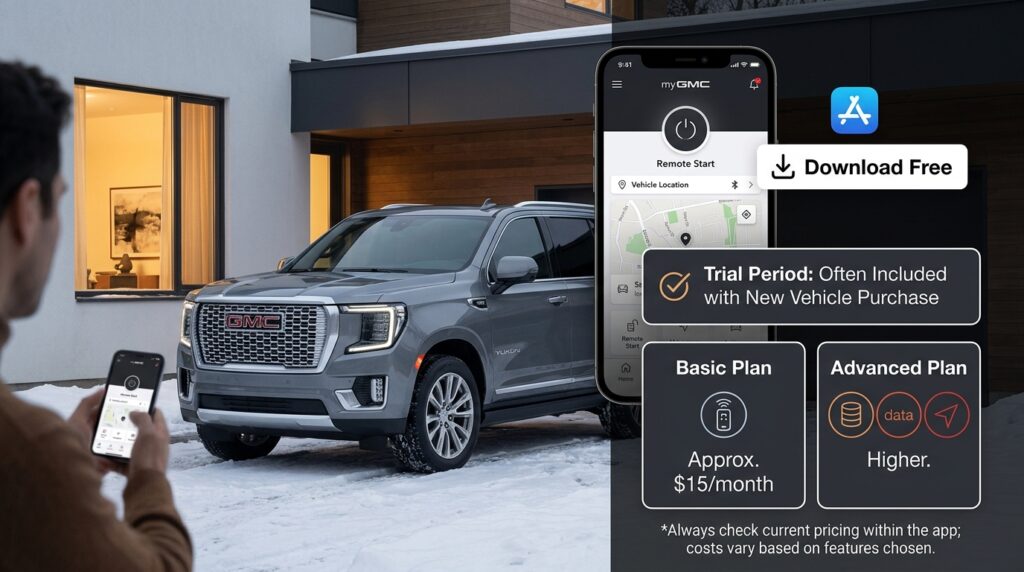
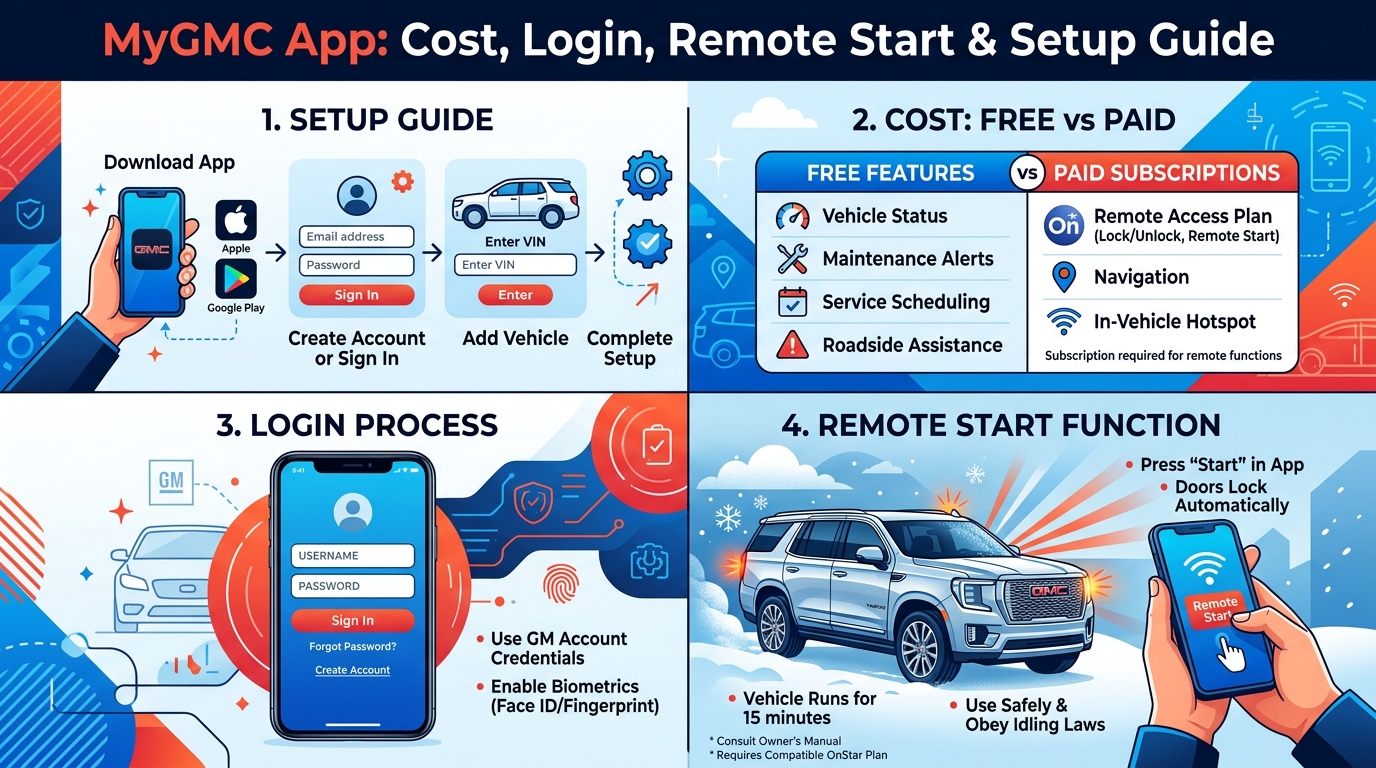
Many people wonder how much does the myGMC app cost. The app itself is free to download from your phone store. New GMC vehicles often come with a trial period where you can try the full features at no extra charge. After the trial, you usually need a paid plan to keep using advanced options.
Basic plans might cost around fifteen dollars each month. This gives you connected access plus remote features. Higher plans can cost a bit more and add things like extra data for your vehicle’s Wi-Fi. Some plans include remote access that lets you use the key fob functions on your phone. Always check the latest prices because they can change. This means the myGMC app cost depends on what features you want to use most. For some owners, the monthly fee feels worth it because it saves time and adds comfort to their days.
Does MyGMC App Require OnStar?
Yes, the myGMC app works closely with OnStar services. You do not always need a full expensive OnStar package. Many features run well with a basic or remote access plan. Newer vehicles from 2025 and 2026 often include some core OnStar services for several years at no extra cost. These basic services let you do simple remote commands and get help in emergencies.
For full remote start and more detailed monitoring, you will likely need a paid Remote Access plan. This setup works because OnStar handles the secure connection between your phone and the vehicle. That is why the two systems go together so well.
MyGMC App Login: Step-by-Step Instructions
Logging into the myGMC app is simple once you know the steps. First, open the app on your phone. Use the same email address you gave when you bought your GMC. This email links everything together nicely. If you already have a GM or OnStar account, type in that password.
The app may ask for extra safety steps like a code sent to your phone. This is called multi-factor authentication and it keeps your information safe. If you forget your password, there is an easy way to reset it right inside the app. Take your time with this part because using the correct email makes all the other steps work better.
How to Set Up MyGMC App: Complete Beginner Guide
Setting up the myGMC app feels exciting because it only takes a few minutes. Start by downloading the app from the Apple Store or Google Play. Open it and accept the simple rules. Then create an account or sign in with your details.
Next, add your vehicle by typing in the VIN number, which is a long code on your car papers. The app will ask for permission to send you notifications and use your location. Say yes to these so the app can work its best. After that, your vehicle should sync for the first time. Drive around a little if needed to help the connection become strong. Soon you will see your GMC information pop up clearly on your phone.
[Add your own example or image here]
MyGMC App Remote Start: How to Use and Customize
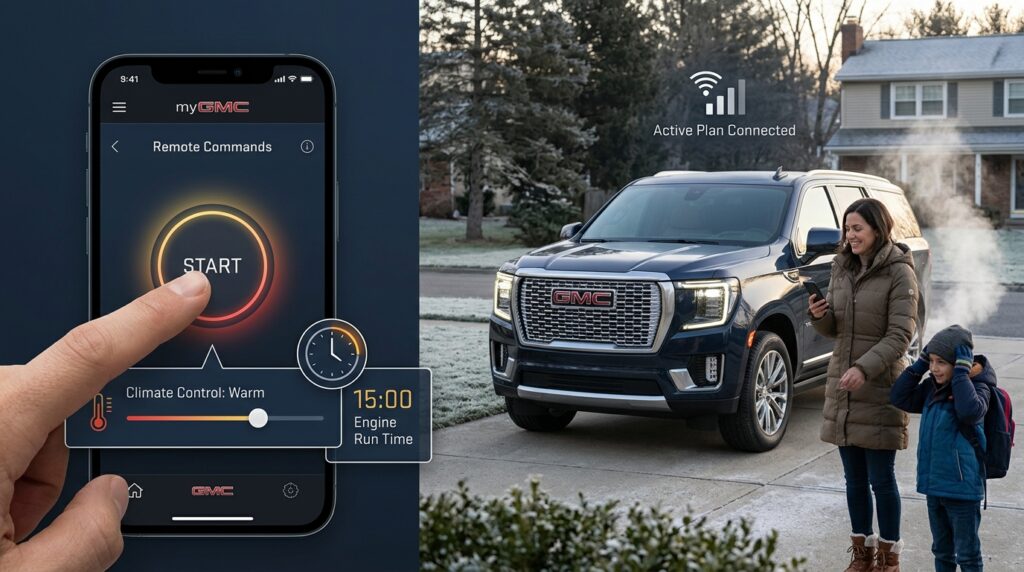
Remote start is one of the most popular parts of the myGMC app. To use it, open the app and look for the remote commands area. Tap the button to start your vehicle. You can also set the climate control so the inside gets warm or cool before you arrive. Most vehicles let the engine run for ten to fifteen minutes before it turns off by itself.
You can change some settings inside your GMC too. Go to the vehicle menu on the screen and look for remote start options. This lets you make the feature fit your daily life. For example, parents love using it to warm up the car for kids on school days. The feature works best when your vehicle has a good connection and an active plan.
Managing Key Fob in MyGMC App: Adding, Viewing, and Troubleshooting
The myGMC app can show digital key fob features for some newer models. This means you might see your key information right on the phone screen. Sometimes the key fob does not show up at first. This can happen if the vehicle needs a fresh sync or if the software is updating.
To get the key fob on the myGMC app, make sure your plan is active and try restarting the app. Some owners add their physical key details for easier viewing. If it still does not appear, a quick call to support often fixes it fast. This integration makes carrying fewer things possible on some days.
MyGMC App on Apple Watch and Other Wearables
The myGMC app works nicely with Apple Watch too. You can install a version that lets you check basic controls right from your wrist. Recent updates in 2025 and 2026 brought back full vehicle control on the watch after some earlier changes. Lock or unlock your doors or see quick status updates without taking out your phone.
There are some limits compared to the full phone app, but it feels very handy for quick checks. Make sure your watch software is up to date for the best experience. This is great for people who like wearing their technology while they move around.
MyGMC App Canada: Regional Differences and Availability
In Canada, the myGMC app works almost the same way but with a few small differences. OnStar services are available across the country, though pricing might vary a little by province. The app is fully available in the Canadian app stores.
Canadian users can enjoy remote start and vehicle monitoring just like in other places. Support teams understand local needs and can help with any questions about plans. If you travel between the US and Canada, the app usually follows you without trouble.
Advanced Features: Energy Pass, Vehicle Location, and More
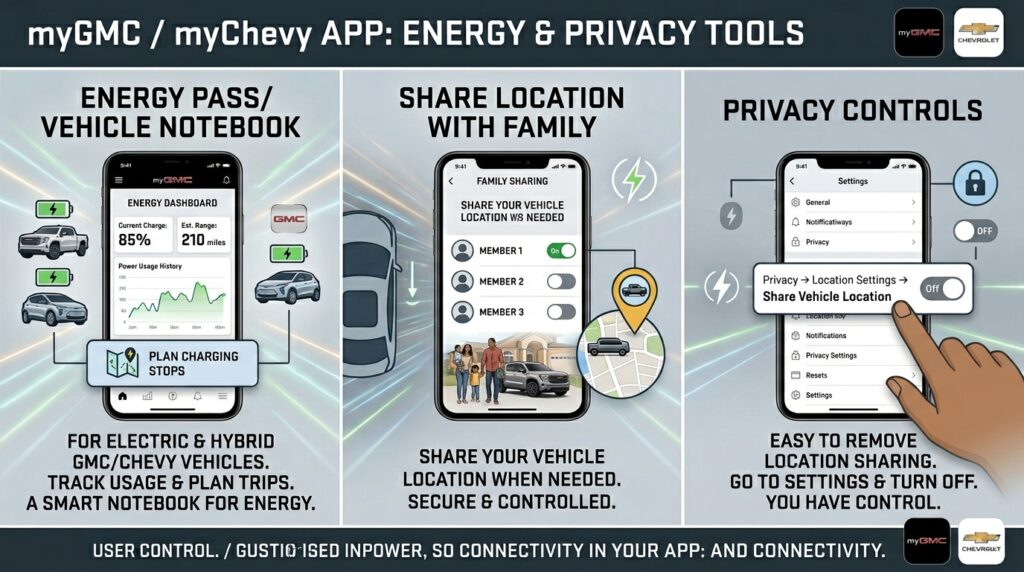
For electric or hybrid GMC vehicles, you can set up energy pass in the myGMC app or the similar myChevy app. This shows how much power you have used and helps you plan charging stops. It is like a smart notebook for your vehicle’s energy.
You can also share your vehicle location with family members when needed. If you want privacy, it is easy to remove vehicle location from the myGMC app. Just go to the settings and turn off sharing. These tools give you good control over what information goes out.
Common Issues: MyGMC App Not Working, Not Connected, or Down
Sometimes the myGMC app stops working on iPhone or Android. This can happen because of weak internet or an old app version. First, check if the myGMC app is down by visiting the GMC support page. Many times the issue is on your phone side.
If your vehicle is not connected, try turning the car on for a couple of minutes then off again. This helps refresh the connection. For myGMC app not working on iPhone, close the app completely and open it fresh. Android users can clear the cache to make things run smoother. These small steps fix most problems quickly.
Fixing Specific Problems: Not Showing Key Fob, Remote Start Failures, and App Errors
When the myGMC app is not showing the key fob, update the app and restart your phone. Remote start failures often happen if the subscription lapsed or the signal is weak. Try moving closer to the vehicle or checking your plan status.
If the app crashes or feels slow, delete and reinstall it. This clears old junk and brings fresh files. Always keep the app updated because new versions fix bugs and add nice improvements. These fixes help you get back to smooth use fast.
Removing or Managing Vehicles in the MyGMC App
You might need to remove a vehicle from the myGMC app if you sell it or switch to another one. Go to your account settings and look for the vehicle list. Select the one you want to remove and follow the clear steps.
The app lets you switch between multiple vehicles easily if your family owns more than one GMC. This keeps everything organized in one place. Managing vehicles this way also helps protect your privacy when the car changes hands.
Tips for Best Performance and Maximizing the MyGMC App
To get the best from your myGMC app, keep it updated all the time. Strong phone signal helps the connection stay steady. Turn on notifications so you know when something important happens with your vehicle.
Save battery by checking the app only when you need to instead of leaving it open. Explore privacy settings to choose what you share. After basic setup, try advanced features like trip history or service reminders. These small habits make the app feel like a true friend on your phone.
Frequently Asked Questions
Many people ask if the myGMC app is free after the trial. The answer depends on your plan choice. Others wonder how to get key fob on myGMC app or why it is not showing. Updating and syncing usually solves this.
Questions about myGMC app Canada, Apple Watch support, and energy pass setup come up often too. For myGMC app vehicle not connected issues, the restart steps help most times. If you still have trouble, reach out to GMC or OnStar support for kind help.
Conclusion
The myGMC app brings so many helpful tools together in one friendly place. From checking costs and doing easy login to enjoying remote start and fixing small issues, it supports your GMC ownership in simple ways. Take time to explore everything after you set it up.
Disclaimer
You will likely discover new favorite features as you use it more. If you ever feel stuck, contact GMC support or your local dealer. They are there to help you enjoy your vehicle even more. Start using the myGMC app today and see how it makes your days smoother and more connected.
Explore More:
Lincoln Way App: Features, Login, Download & Remote Start Guide
PAISD Learning Apps: Login Guide, Schoology Access & Features (2026)
About the Author