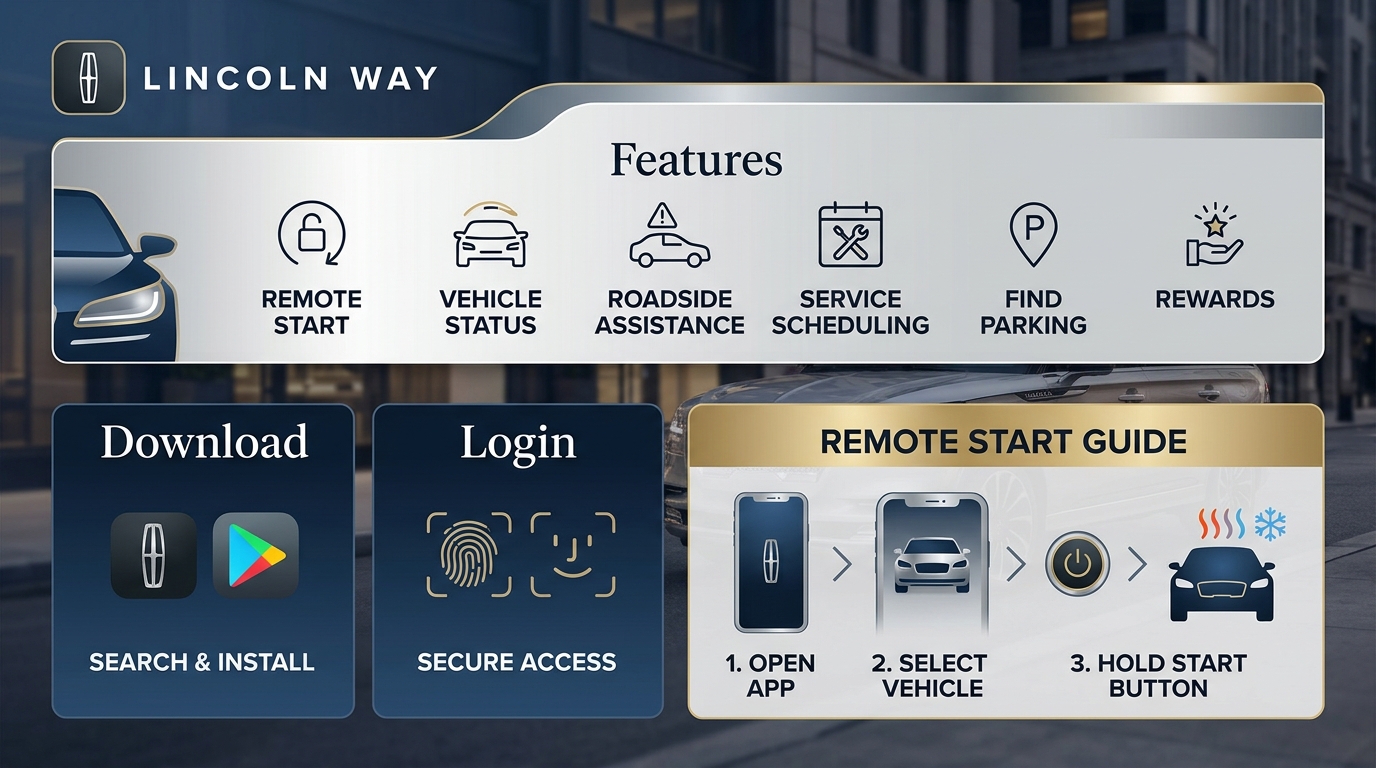
The Lincoln Way App makes life easier for people who own Lincoln cars. It lets you connect with your vehicle from your phone in simple and helpful ways. In 2026, this app has grown into a smooth and dependable tool that many drivers enjoy using every day. Owners can check on their car, start it from far away, and manage many things without extra stress. This guide will walk you through everything in a friendly way so you feel confident using it.
What Is the Lincoln Way App?
The Lincoln Way App serves as Lincoln’s special mobile tool for vehicle connectivity. It used to be called Lincoln Way, and now many people simply call it the Lincoln app. This platform brings your car and your phone together so you can stay in touch with your vehicle at any time.
It helps with daily tasks like knowing where your car is parked or making sure everything inside feels just right before you get there. The app works like a helpful bridge between you and your Lincoln vehicle. This connection brings real peace of mind and makes ownership feel more personal and convenient.
Lincoln Way App Features
The Lincoln Way App comes packed with useful abilities that make driving better. You can control your vehicle from a distance with options like locking and unlocking the doors. The app also watches over your car’s health and sends gentle reminders when service might be needed.
Another nice part is the location services that show exactly where your car sits. You can even schedule appointments at service centers right from the app. Account management feels simple too, so you can handle payments and details without trouble.
One of the best parts is the Phone as a Key technology. Your phone acts like a smart key that lets you walk up and open the car without pulling anything out of your pocket. Real-time alerts keep you informed about important things happening with your vehicle. These features work together to create smoother days for busy families and drivers.
Lincoln Way App Interface and Modern Design
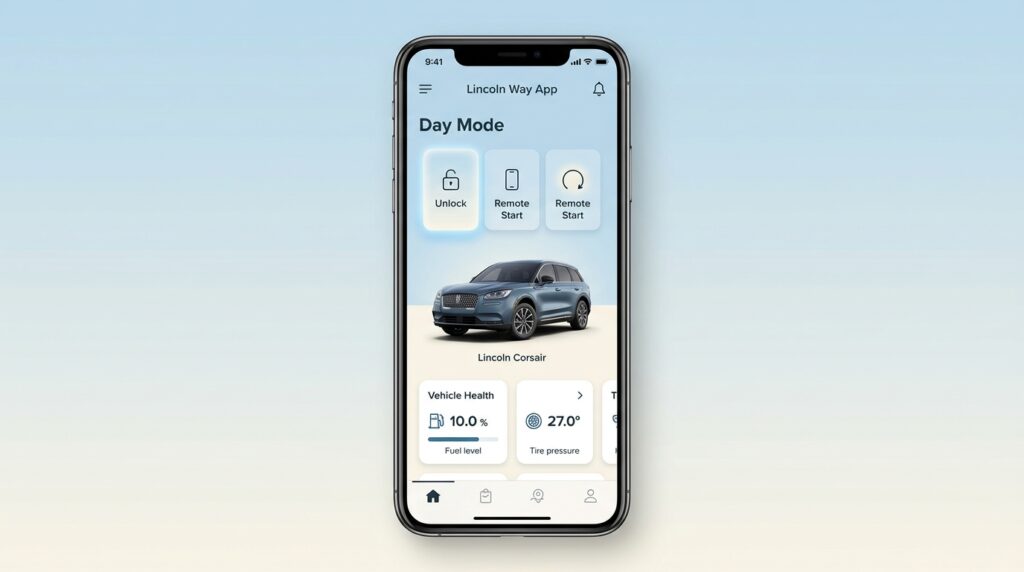
The Lincoln Way App feels clean and easy on the eyes. Its modern look uses soft colors and clear buttons that load quickly. You can change the appearance to match what you like best, including a dark mode that feels gentle at night.
Navigation stays simple with a main vehicle dashboard that shows the most important information first. The map view helps you see your car’s position clearly. On the home screen, you find quick taps for common actions. This thoughtful design makes the app pleasant to use even when you only have a few moments.
Is the Lincoln Way App Free? How Much Does It Cost?
Many people wonder about the price of the Lincoln Way App. Good news — downloading the app and using most of its main features comes at no extra cost for vehicles that have the right equipment.
You do not need to pay a monthly fee for basic remote functions. Sometimes your phone’s data plan might use a small amount when the app checks on the car. Certain newer Lincoln models need an active modem inside the vehicle, but most owners find this already included. Overall, the app gives strong value without surprising costs.
Lincoln Way App Download
Getting the Lincoln Way App on your phone takes only a short time. Visit the Apple App Store if you have an iPhone or the Google Play Store for Android devices. Search for the official Lincoln Way App and tap the download button.
The app works well on recent iOS and Android versions. After it finishes installing, open the app and allow necessary permissions like location and notifications. These steps help the app connect smoothly with your car. Take your time during setup so everything feels right from the start.
Lincoln Way App Login and Authorization
Logging into the Lincoln Way App starts with creating a Lincoln Owner Account if you do not have one yet. Use your email and create a strong password. For those who already have an account, simply enter your details to sign in.
Next, set up a secure PIN for extra safety. The app will guide you through authorizing your specific vehicle. This process makes sure only you and trusted people can access the car information. Follow each screen carefully, and the authorization usually finishes in a few minutes.
How to Connect Lincoln Way App to Car
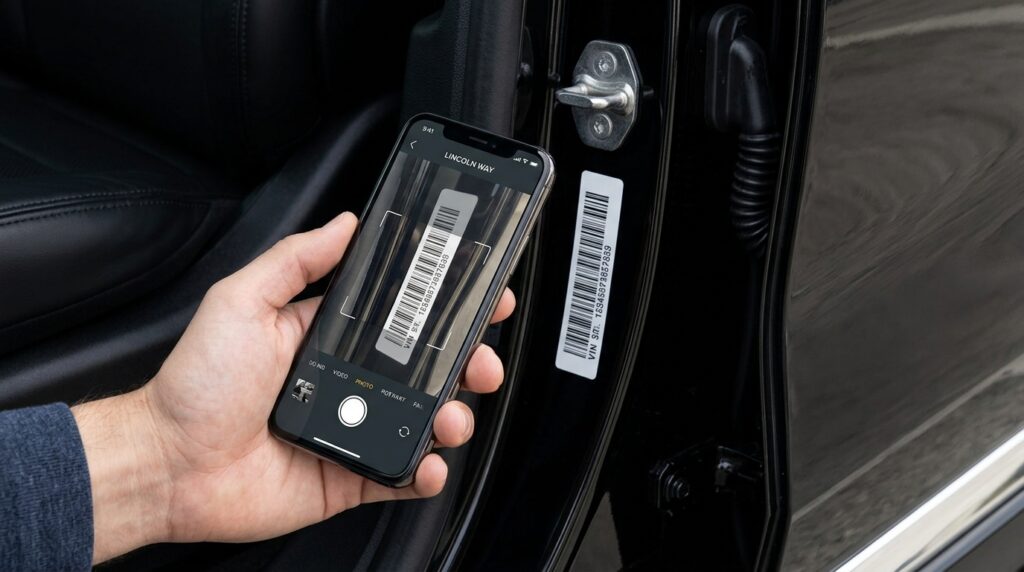
Connecting your phone to your Lincoln vehicle opens up all the helpful tools. Start by adding your car using its VIN number, which you can scan or type in. The app will ask you to turn on Lincoln Connect inside the vehicle.
Confirm any messages that appear on your car’s screen. For Phone as a Key, make sure Bluetooth and location services stay active on your phone. The modem in the car also needs to be turned on. Once connected, the app and vehicle begin working as a team for better control.
Lincoln Way App Remote Start Guide
Remote start is one of the most loved parts of the Lincoln Way App. Open the app and look for the start button. Tap it, and your car engine will turn on from a distance so the inside reaches a nice temperature before you arrive.
You can also set a schedule for automatic starts at certain times. Climate preconditioning lets you warm or cool the car early. Other commands like lock and unlock sit nearby for quick use. Remember that remote start usually runs for a set number of minutes for safety reasons. Always use this feature in open areas and never inside closed spaces.
Lincoln Way App Vehicle Location
Finding your car becomes easy with the Lincoln Way App’s map feature. The screen shows your vehicle’s real-time position using GPS. You can zoom in to see the exact spot and even share the location with family members.
The map also suggests nearby places like gas stations or service centers. This tracking helps when you forget where you parked at a big store or airport. Many owners say this tool reduces worry and saves time during busy days.
Lincoln Way App on Apple Watch and Smartwatch Integration
The Lincoln Way App works nicely with smartwatches too. On an Apple Watch, you can install a version that lets you lock, unlock, or start your car with a quick tap on your wrist.
Some people notice the app not working perfectly on Apple Watch at first. Checking for updates and making sure your phone stays nearby often fixes this. The watch shows simple complications for quick status checks. This wearable support adds another layer of convenience for active users.
Lincoln Way App Technical Issues and Troubleshooting
Sometimes the Lincoln Way App may face small problems. If the app stops responding, try closing it completely and opening it again. For cases where you cannot locate your vehicle, check that location services are on and the car modem has good signal.
Clearing the app cache can help with loading troubles. A master reset brings the app back to fresh settings when other steps do not work. Keeping your phone and car software current prevents many issues. These simple fixes usually get things running smoothly again.
Lincoln Way App Update and Maintenance
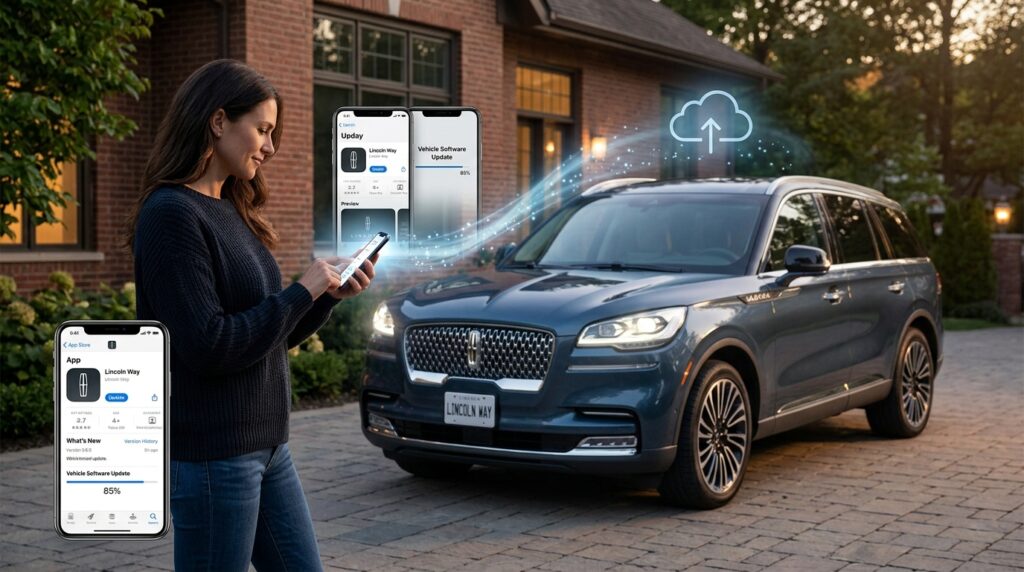
Regular updates keep the Lincoln Way App working at its best. Check the app store for new versions and install them when available. Newer updates often bring faster performance and extra reliability.
The app also supports over-the-air updates for your vehicle’s software. This means your Lincoln can receive improvements without visiting a service center. Taking a few minutes now and then to update makes your experience better over time.
Lincoln Way App Review and User Experiences
Many Lincoln owners share positive thoughts about the app. They like the convenience of remote control and the clear modern interface. People often mention how the location tracking and health alerts make daily life simpler.
Of course, some users notice occasional technical hiccups, but most feel the benefits far outweigh any small challenges. Overall satisfaction stays high because the app continues to improve and focus on real driver needs.
Advanced Tips and Best Practices
To get the most from the Lincoln Way App, try customizing your alerts so you only receive the ones that matter to you. If you have more than one Lincoln vehicle, the app can manage them all in one place. You can also authorize trusted friends and family members for limited access.
Pay attention to battery use by checking the app’s power settings. Connecting the app with other Lincoln services creates an even smoother experience. These small steps help you build better habits and enjoy your vehicle more fully.
Frequently Asked Questions
How long does remote start last in the Lincoln Way App?
Remote start usually runs for about 15 minutes. You can extend it if needed by using the app again before time runs out.
Can I use the Lincoln Way App with multiple phones?
Yes, several family members can log in with their own accounts after proper authorization.
Does the app work outside the United States?
Features may change depending on your country and vehicle model. Check with your local Lincoln dealer for exact details.
What should I do if the app shows my car in the wrong place?
Wait a few minutes and refresh the map. Poor signal can sometimes affect accuracy.
Is Phone as a Key safe to use?
Yes, it uses strong security measures. Always keep your phone protected with a passcode.
Can I still use my physical key if the app stops working?
Your regular Lincoln key will always work as a backup option.
How do I turn off notifications from the app?
Go into the app settings and choose which alerts you want to receive or pause.
Does the app drain my phone battery quickly?
Most users find the battery impact stays small, especially with recent updates that improved efficiency.
Conclusion and Final Thoughts
The Lincoln Way App serves as a wonderful companion for Lincoln owners in 2026. It brings together helpful features, easy login steps, quick downloads, and powerful remote start options all in one place. Whether you want to find your vehicle, warm it up early, or simply stay informed, this tool makes ownership feel more relaxed and enjoyable.
Take time to explore the Lincoln Way App on your own. Download it today and see how it fits into your daily routine. As new improvements arrive, the app will keep growing to support even better driving experiences. You deserve a car connection that feels simple and supportive.
Disclaimer:
This article is for informational purposes only and is not officially affiliated with Lincoln or its parent companies. All details reflect general user experiences and publicly available information as of 2026. Always check with your Lincoln dealer or the official app for the most accurate and up-to-date guidance. Features may vary by vehicle model, region, and software version.
Explore More:
Connectivity Apps: Best Travel & Remote Work Tools for 2026
Stackin App Review 2026: Is the Stackin App Legit or a Scam?
About the Author