Learning new tech skills can feel exciting but also a little scary when you are just starting out. Many students want a simple way to practice coding and build real abilities that help them get good jobs. That is where the bytexl app comes in. This friendly guide will walk you through everything about the bytexl app in a clear and easy way. You will learn what it is, how to use it, and the full bytexl app login steps. By the end, you will feel ready to begin your own learning journey with confidence.
What is ByteXL App?
The bytexl app is a helpful learning platform made for students who want to grow strong technical skills. It works on both phones and computers. Young people in engineering and IT fields use it most because it lets them try real coding instead of just reading about it.
ByteXL TechEd started the platform to make learning feel more like real work. Students get to practice in hands-on labs, solve coding challenges, and see their progress grow day by day. One special part is the Nimbus tool, which gives a cloud-based coding space. You do not need to install heavy software on your own computer. This means you can start coding right away from almost any device. The app focuses on experiential learning, so you learn by doing instead of just watching videos. Over time, this builds real confidence that lasts.
Key Features of ByteXL App
One of the best things about the bytexl app is its online code editor. It supports more than 70 programming languages and even offers smart AI help when you get stuck. You can write code, test it quickly, and fix mistakes with friendly suggestions.
Students also enjoy coding labs and fun assignments that feel like games. Your personal profile lets you show off projects and skills to others, including future employers. Progress dashboards keep everything organized so you always know what you have learned and what comes next. Real-time analytics show how you are doing, while discussion communities let you talk with friends and teachers. You can link your GitHub account too, which makes it easy to build a strong portfolio. These tools work together to create a complete place for learning and growing.
ByteXL App Benefits for Students and Institutions
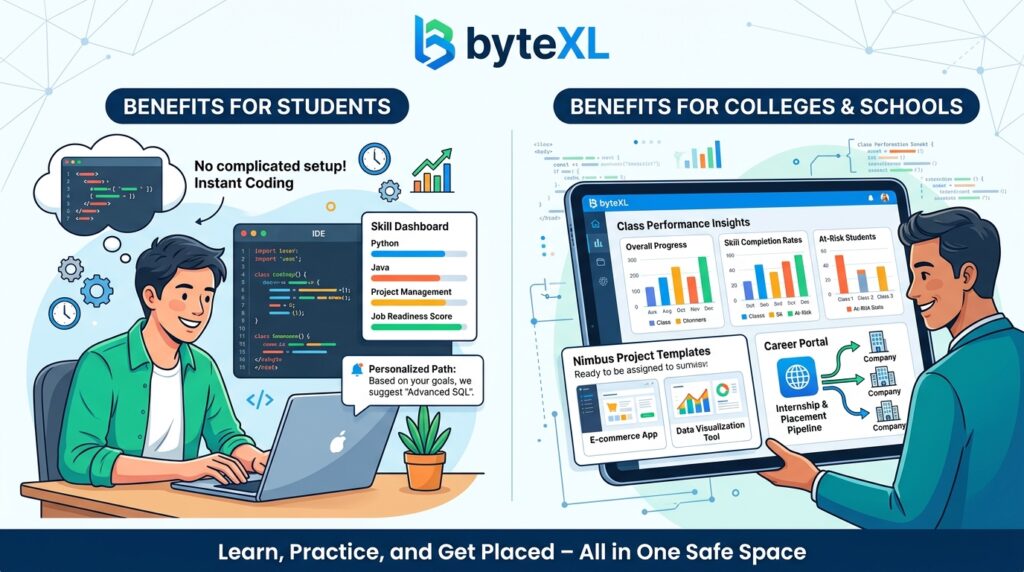
Students love the bytexl app because there is no complicated setup needed. You open the app or website and start coding right away. This saves lots of time and removes frustration. The platform tracks your skills so you feel ready for real jobs when the time comes. Personalized paths mean the app suggests things that match your level and goals.
Colleges and schools also gain a lot. They get clear performance insights about each class and student. Hands-on project templates through Nimbus help everyone practice building real apps. Many students move from learning to earning through internships and placements that the platform helps arrange. Because everything happens in one safe space, both learners and teachers stay happy and focused.
How to Download and Install ByteXL App
Getting the bytexl app on your phone is very simple. If you have an Android phone, open the Google Play Store and search for “byteXL”. Tap the install button and wait a short moment. The app is light and works on most modern phones.
For iPhone or iPad users, go to the App Store and do the same search. Download and open it once it finishes. You need a stable internet connection at first, but after that many features work smoothly. Make sure your phone runs recent software for the best experience. If you prefer not to use a phone, you can visit bytexl.app on any web browser and log in there. This web option is great when you want a bigger screen for coding projects.
ByteXL App Login Process: Step-by-Step Guide
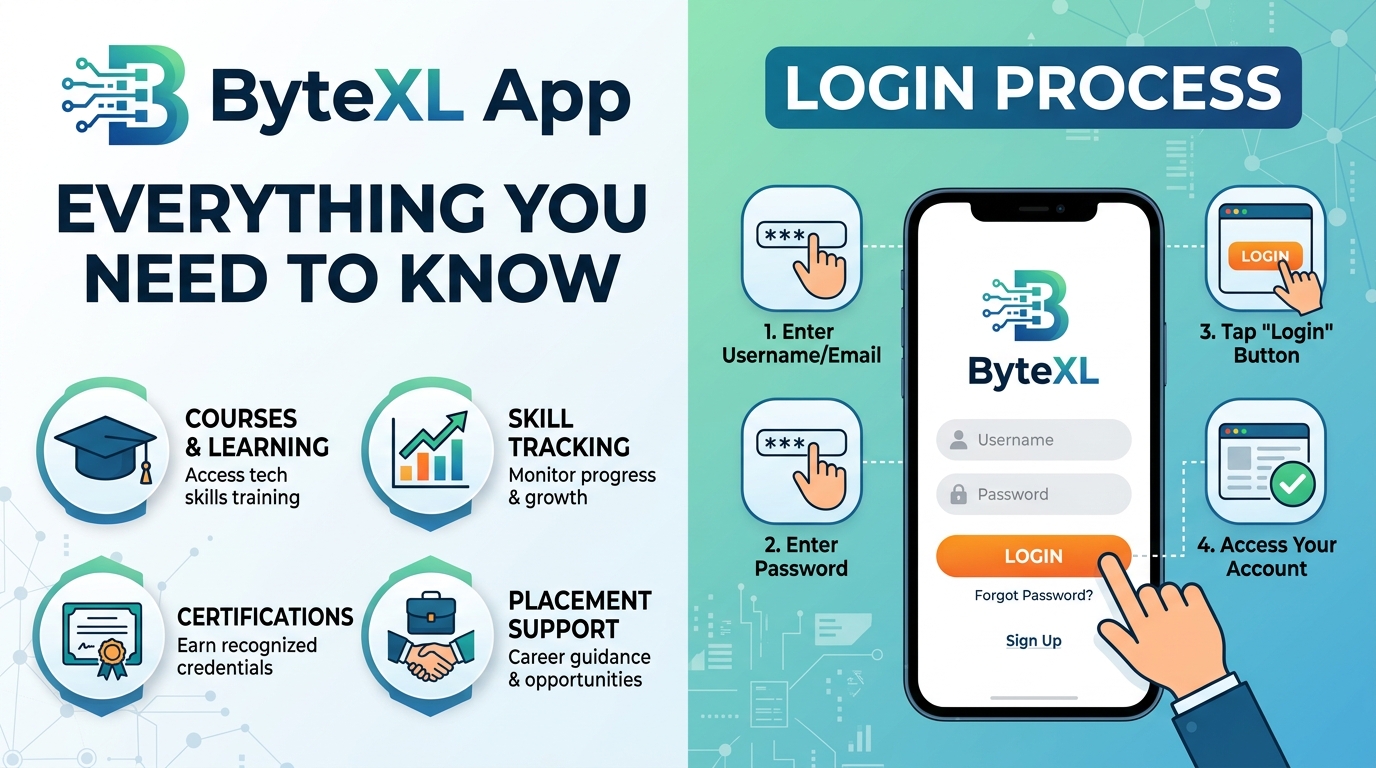
The bytexl app login is quick and safe. First, open the app or go to bytexl.app. You will see options to sign in with your email and password, or use Google or Microsoft accounts for faster access.
Type your details carefully and tap login. If you forget your password, there is a simple “Forgot password” link that sends a reset email. Some users need to turn on JavaScript in their browser for the web version to work perfectly. After login, you might set up two-factor authentication for extra safety. This sends a code to your phone or email. Students and schools sometimes have slightly different login pages, so check with your college if needed. Once inside, the clean dashboard welcomes you and shows your courses and progress right away.
Setting Up Your ByteXL Profile and Getting Started
After you complete the bytexl app login, take a few minutes to build your profile. Add your school details, favorite subjects, and any past projects. Linking your GitHub account lets you bring in real work you have done before. Your ByteXL Score grows as you solve problems and finish labs, which feels rewarding.
Right from the start, you will notice fun sections like the Problem of the Day. Try one each morning to build a good habit. The app also shows recommended lessons based on what you like. Weekly rankings let you see how you compare with friends in a friendly way. These small steps help you feel part of a supportive community while you learn at your own speed.
Advanced Features: Nimbus, AI Editor, and More
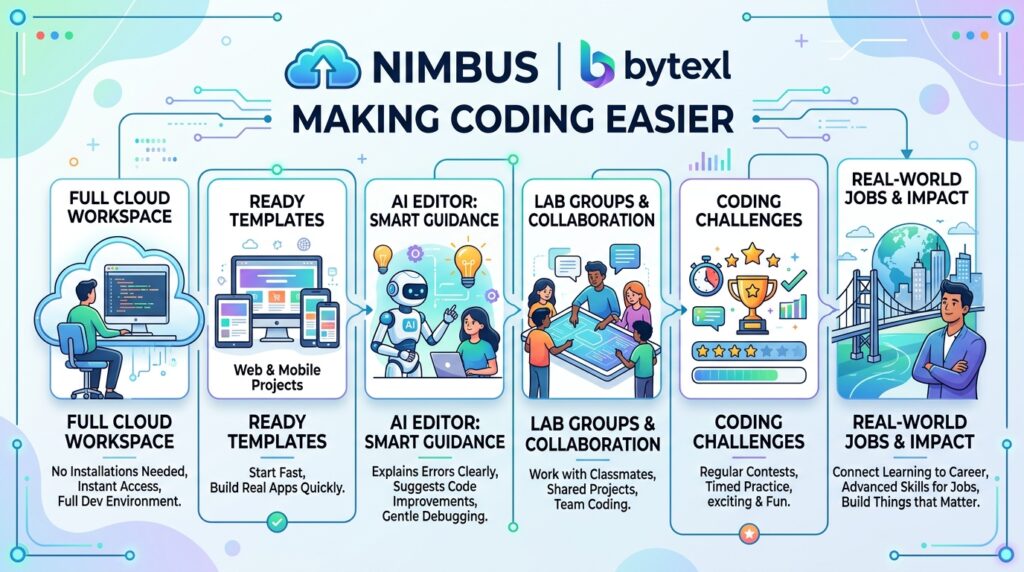
Nimbus is a special cloud tool inside the bytexl app that makes coding even easier. It gives you a full workspace without installing anything complicated. You can pick ready templates to start building real apps or mobile projects fast. Many students say this feature removes the biggest headaches of learning to code.
The AI editor helps you when you feel stuck. It can explain errors, suggest better code, and even debug problems gently. Lab groups let you work with classmates on shared projects. Regular coding challenges keep things exciting and help you practice under time limits. All these advanced parts connect learning to real-world jobs, so you build things that actually matter.
Common Issues and Troubleshooting
Sometimes small problems happen, but most are easy to fix. If the bytexl app login does not work, check your internet, clear the app cache, or try the web version. Code that will not run often needs a quick refresh or checking your syntax. On mobile phones, make sure you have enough storage space for smooth performance.
If your profile does not show correctly, double-check that you filled all fields. For any bigger troubles, the support team is friendly and ready to help through email or in-app help. Many common fixes are also listed in short video guides inside the app. Taking a calm breath and trying one step at a time usually solves things fast.
ByteXL for Career Growth and Placements
The bytexl app does more than teach coding. It helps you show your skills to real companies. Recruiters can view your profile and projects, which opens doors to good opportunities. You earn certificates that prove what you can do. Community spaces prepare you for interviews through practice and tips from others.
Many students share success stories about landing internships or first jobs after using the platform. The path from classroom practice to workplace success feels natural because everything focuses on real abilities that employers want. Your growing portfolio becomes a powerful story about your hard work and learning.
Pricing, Subscription, and Institutional Access
The bytexl app offers different ways to join. Individual learners can choose simple subscription plans that fit their budget. Many colleges partner with ByteXL so students get access through their school without extra cost. This partnership model helps everyone learn without worry.
You can request a demo to see if it fits your needs before choosing a plan. When you compare the value, the hands-on practice and career tools often make it worth more than the price. Schools get special dashboards and support that help improve teaching for whole classes.
Tips and Best Practices for Maximizing ByteXL App
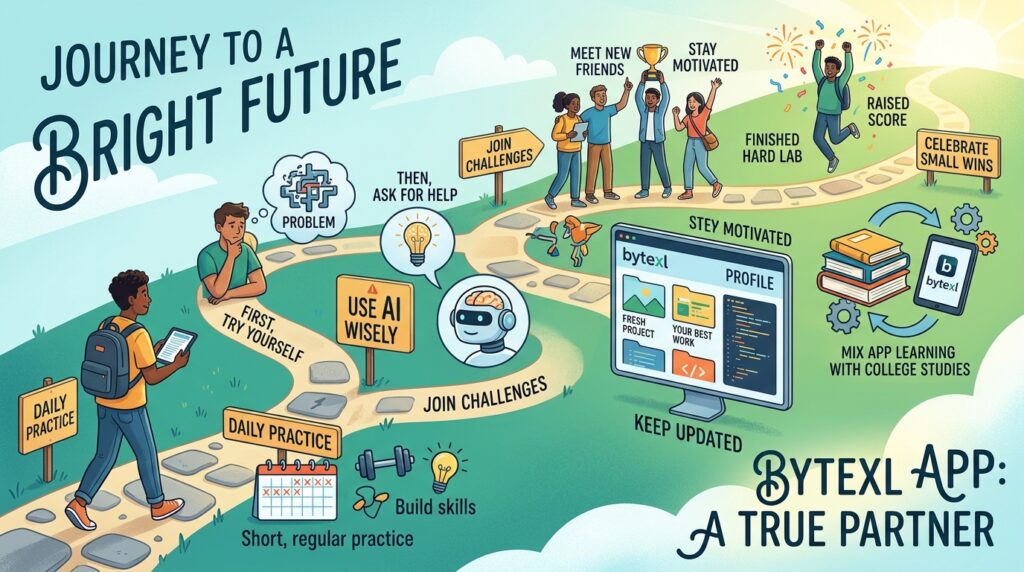
To get the most from the bytexl app, try using it a little every day. Short, regular practice builds skills faster than long sessions once a week. Use the AI tools wisely by first trying to solve problems yourself, then asking for help. Join challenges to stay motivated and meet new friends.
Keep your profile updated with fresh projects so it always shows your best work. Mix app learning with your regular college studies for even better results. Celebrate small wins like finishing a hard lab or raising your score. These good habits turn the bytexl app into a true partner on your journey to a bright future.
Conclusion
The bytexl app gives students a warm and powerful place to build real tech skills through practice, tracking, and community support. From easy bytexl app login steps to advanced tools like Nimbus, everything is designed to help you grow with joy and confidence. Whether you are just starting or ready to show your talents to the world, this platform can make a big difference in 2026 and beyond.
Why wait? Download the app today, complete your login, and take that first exciting step. Start small, stay consistent, and watch your dreams get closer. Your future in tech is waiting, and the bytexl app is here to help you reach it happily.
FAQ Section
How do I do the bytexl app login if I forget my password?
Go to the login page and click the forgot password link. They will send a reset email. Follow the steps inside and create a new strong password.
Is the bytexl app free to download?
Yes, you can download it for free on Android and iOS. Some advanced features or full courses may need a subscription or school access.
Can I use the bytexl app on my computer without downloading anything?
Absolutely. Just open bytexl.app in your web browser and log in. It works well on laptops and gives a bigger screen for coding.
What makes ByteXL different from other coding apps?
It focuses on full experiential learning with Nimbus cloud spaces, student profiles for recruiters, and strong college partnerships. The mix of mobile ease and career tools feels special.
Does the bytexl app protect my personal information?
Yes, they follow good privacy rules. Read their privacy policy for full details about how they keep your data safe.
How can teachers or colleges get institutional access?
Schools can contact ByteXL for partnership demos. Many colleges already use it to give all students easy access and helpful dashboards.
Will the app work on older phones?
It runs best on newer devices with updated software. Check the store listing for exact requirements before downloading.
Can beginners use the bytexl app successfully?
Yes! The lessons start simple, and AI help makes learning kind and steady. Many new students begin with basic labs and grow quickly.
Disclaimer:
This article is for general information and educational purposes only. Details about the bytexl app, features, and processes may change over time. Always check the official bytexl.app website or app for the latest and most accurate information before using any service
About the Author