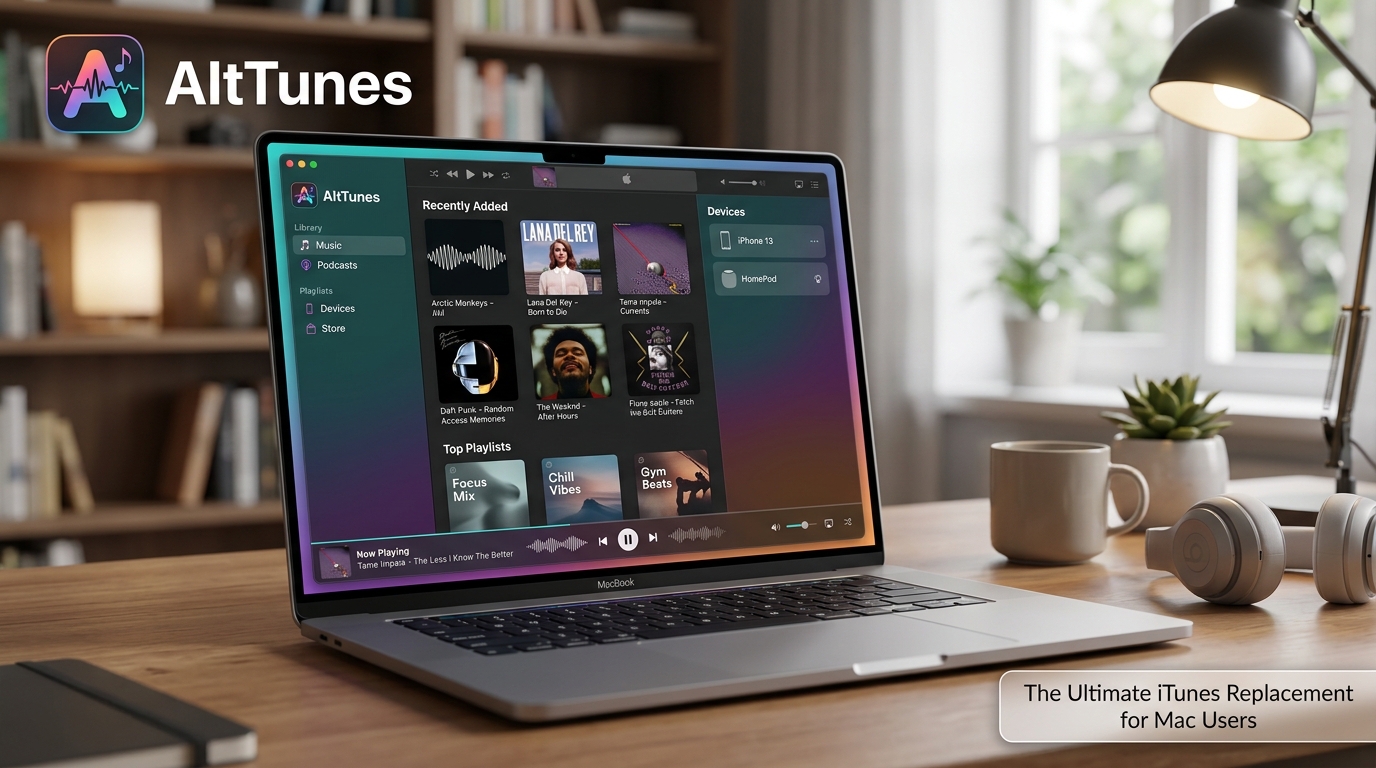
Many Mac users feel tired when they try to manage their iPhone or iPad with the tools Apple gives them. Old ways like iTunes used to work well, but now things feel slow and tricky. People want something simpler to move photos, music, and files without extra steps or problems.
That is why the alttunes app has caught the eye of so many people. It works as a light and easy choice for handling Apple devices on a Mac. In this friendly guide, you will learn what the alttunes app is, how it helps, and if it could be a good fit for your needs in 2026. We will walk through everything step by step so you feel ready and happy to try it.
What Is AltTunes App?
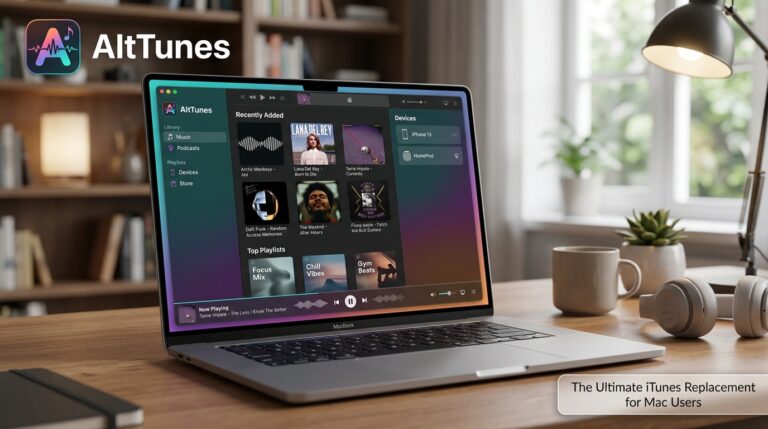
The alttunes app is a helpful program made to take the place of old iTunes ways for managing Apple stuff on your computer. It lets you move music, photos, videos, voice memos, and other files between your iPhone, iPad, and Mac computer.
Think of it like a kind helper that opens the door to your device so you can see and move things easily. You do not need to wait for full syncs or deal with big storage rules. The alttunes app focuses on making file work feel quick and natural, like copying papers from one folder to another on your desk.
It works well for people who just want direct control. No extra clouds or forced rules get in the way. This makes daily tasks feel much lighter and more fun.
Why Mac Users Need an Alternative to iTunes
Apple changed how things work on newer Mac computers. The old iTunes split into different parts, and now Finder handles some jobs. But many people still run into trouble. Backups can take a long time. Storage fills up fast. Sometimes devices do not connect smoothly, and you lose time fixing small issues.
These frustrations add up over weeks and months. You might want to add new songs but feel stuck. Or you need to save special photos before a trip, yet the process feels too slow. That is where the alttunes app mac experience shines. It gives cleaner control and more flexible choices so you spend less time waiting and more time enjoying your files.
Key Features That Make AltTunes App Stand Out
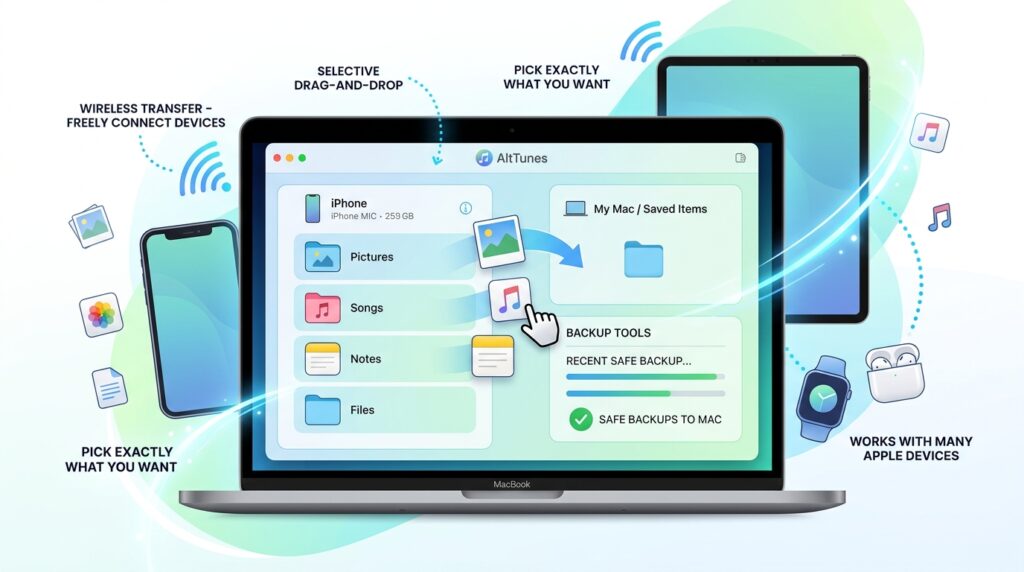
One big reason people like the alttunes app is its simple drag-and-drop way to move things. You can pick exactly what you want without moving everything at once. This selective choice saves space and time.
Wireless transfer is another nice part. You connect your device without always plugging in a cord, which feels freeing. Backup tools let you save important data on your Mac safely. It also works with many Apple devices, so your whole family can use the same program.
These ideas cut out extra clicks that older tools force you to do. Your daily work flows better, and you feel more in charge of your own pictures, songs, and notes.
AltTunes App Mac Experience: How It Works on macOS
On a Mac, the alttunes app mac version fits nicely with the way your computer already looks and feels. Setup is straightforward, and the screen stays clean so new users do not get lost. It runs smoothly on recent macOS systems without slowing down your machine.
The design feels friendly even if you are just starting. Buttons and menus use plain words that make sense right away. Whether you are a beginner or someone who has used computers for years, the program welcomes you with open arms.
How to Download and Install AltTunes App on Mac
Start by visiting the official place to get the app. Download the file made for Mac computers. Your browser might ask for permission, which is normal and safe.
Open the downloaded file and follow the simple steps on screen. You may need to allow the program in your Mac security settings the first time. This only takes a minute. After that, the alttunes app is ready to use.
If something feels stuck, try restarting your Mac or checking your internet for the download. Most people finish setup quickly and feel excited to try their first transfer.
How to Transfer Files Using AltTunes App
Transferring files with the alttunes app feels like a gentle walk in the park. Plug in your iPhone or connect wirelessly. Then open the app and see your device files clearly laid out.
Want to move vacation photos? Just drag them to a folder on your Mac. Music goes the same easy way. You can even handle voice memos or important documents without trouble.
Many Mac users do this when they need space on their phone before a long trip. Others copy family videos to share with grandparents. The process stays fast and clear compared to waiting through full iTunes syncs. Everything happens right where you can watch and choose.
AltTunes App vs iTunes: Which One Is Better?
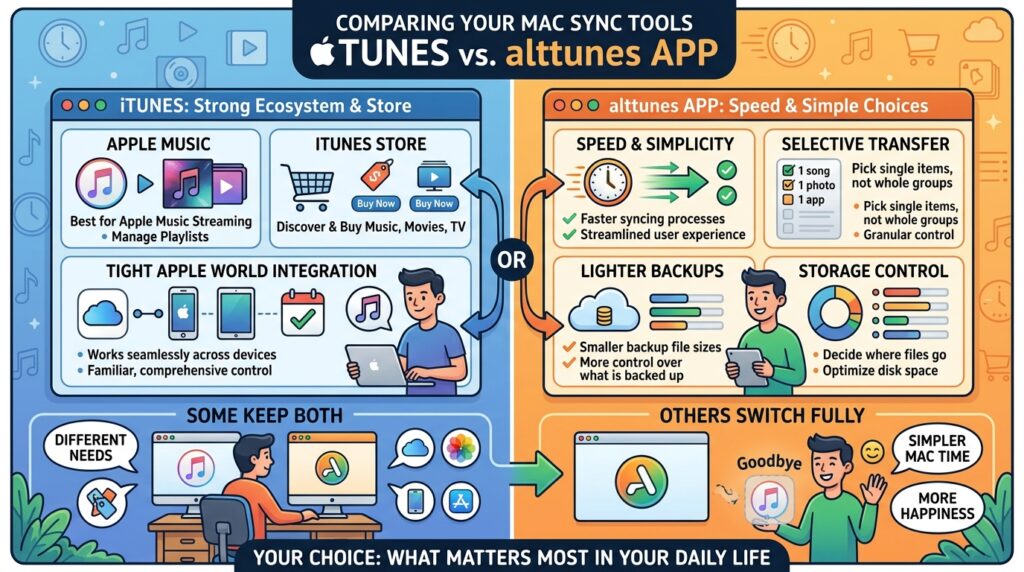
iTunes still does some jobs well, especially if you love Apple Music or need store features. It works tightly with the whole Apple world.
Yet the alttunes app wins for people who want speed and simple choices. It avoids heavy steps and lets you pick single items instead of big groups. Backups feel lighter, and you keep more control over your own storage.
Some folks keep both tools for different needs. Others switch fully to the alttunes app and feel happier with their Mac time. It depends on what matters most in your daily life.
What Reddit Users Say About AltTunes App
On places like alttunes app reddit, people share honest stories. Many praise how fast transfers happen and how easy the program feels after struggling with Apple tools. Parents like saving kids’ photos safely. Music lovers enjoy moving songs without limits.
Some mention small connection hiccups at first, but quick fixes usually solve them. Overall, the community shows growing trust in the tool for real daily use. Reading these talks helps you know what to expect from actual people like you.
Is AltTunes App Safe to Use on Mac?
Safety matters when you try any new program with your personal files. The alttunes app asks only for the access it truly needs to help with your device. It does not dig into private areas without reason.
Many users report feeling secure because work stays local on your Mac instead of sending everything online. Always download from trusted spots and keep your Mac updated. This careful habit keeps most tools safe and reliable.
Common Problems Users Face and How to Fix Them
Sometimes a device does not show up right away. Restart both your Mac and phone, then try again. Make sure you use a good cable or strong wireless connection.
Transfer might pause if your phone battery is very low. Charge it a bit and continue. For installation questions, double-check security settings in your Mac preferences.
These small issues happen to most people at some point, but simple steps usually clear them fast. You do not need expert skills to fix everyday bumps.
Hidden Benefits Most Reviews Miss
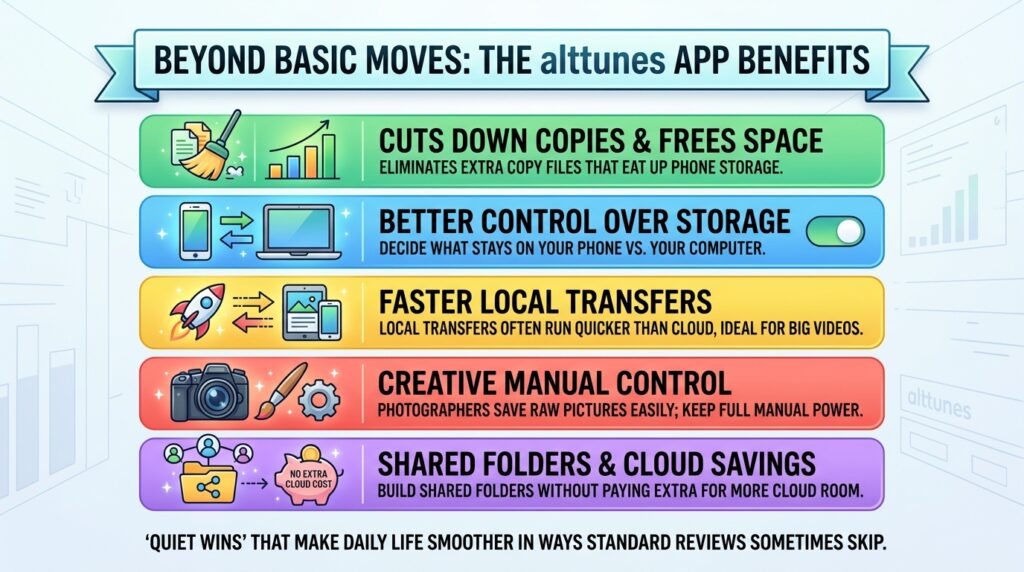
Beyond basic moves, the alttunes app helps cut down extra copy files that eat up space. You gain better control over what stays on your phone versus your computer. Local transfers often run quicker than cloud options, especially with big video collections.
It also lets creative people keep full manual power over their work. Photographers save raw pictures easily. Families build shared folders without paying extra for more cloud room. These quiet wins make daily life smoother in ways standard reviews sometimes skip.
Who Should Use AltTunes App?
Music fans who collect big song lists do well with this tool. Photographers and video makers love the easy export choices. Anyone with little cloud storage benefits from strong local options.
If Apple rules ever feel too tight, the alttunes app gives breathing room. Families managing many devices also find it useful for keeping everything organized and safe.
Best Alternatives to AltTunes App for Mac Users
Other programs exist if you want different strengths. Some focus only on music while others handle more backup types. A few stay completely free but offer fewer choices.
Look at what fits your main needs first. Try one or two to see the feel. This way you pick the best friend for your Mac and Apple devices.
Final Verdict: Is AltTunes App Worth It?
The alttunes app brings real help for Mac users who want simpler ways to manage their phones and files. Its clean style, quick transfers, and direct control stand out as big strengths. While it may not replace every single Apple service, it shines for everyday file work.
In 2026, many people look for tools that respect their time and give back choice. If that sounds like you, the alttunes app mac option could become a favorite part of your setup. Take it slow, try the easy parts first, and see how it feels in your own hands.
Frequently Asked Questions
Does the alttunes app work with the newest iPhones in 2026?
Yes, it stays updated for current Apple devices so you can manage new models without worry.
Can I use it to move files without a cable?
Wireless options make it possible in many cases, which feels very convenient for quick jobs.
Will it delete anything on my phone by mistake?
No. You stay in full control and choose every step, so nothing happens without your okay.
Is there a free way to test the alttunes app?
Many users start with a trial period to try main features before deciding.
How does it handle very large photo collections?
It breaks big jobs into manageable pieces and keeps transfers steady even with thousands of pictures.
Can kids or older family members learn it easily?
The simple design helps almost anyone feel comfortable after a short look around.
Does it need constant internet?
Most work happens right on your Mac, so you do not always need to be online.
What if I still like some Apple tools?
You can happily use the alttunes app together with other programs for different tasks.
You now know a lot about this helpful option for your Mac. Take a gentle first step when you feel ready. Small tries often lead to big relief and more joy with your favorite photos, songs, and memories. Enjoy your smoother Mac days ahead!
Disclaimer:
This article is for general information only and does not replace your own research or professional advice. Always check official sources before downloading or installing any software. Results can vary by device and setup.
Explore More:
LemFi App Explained: Safe to Use, Features & Benefits
Bebird App: Download, Features & How to Use Guide
About the Author