
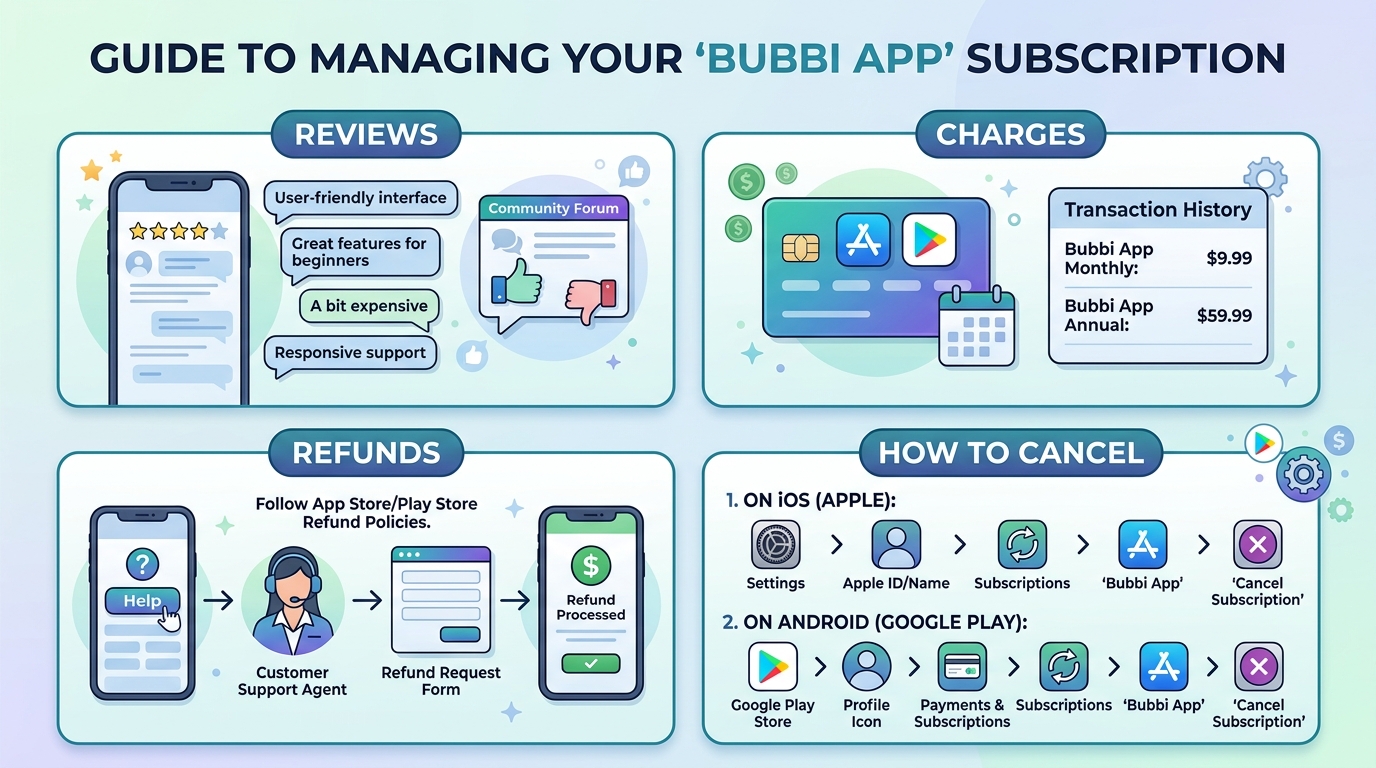
Many people today want easy ways to make pictures and designs look nice. In 2026, tools like the bubbi app promise to help with that using smart computer help. This article will explain everything you need to know in a simple way. We will talk about what the bubbi app is, how it works, the costs, possible problems with charges, and how to stop it if you want. Understanding these things first can save you time, money, and worry.
It feels good to create beautiful pictures for school, fun, or even small business ideas. But before you try any new tool, it helps to learn the full story. That is why we made this guide friendly and clear. We want you to feel safe and smart when you decide what to do.
What Is the Bubbi App?
The bubbi app is a computer tool that uses smart AI to help people make and change pictures. You can turn your ideas into images, fix old photos, change backgrounds, or make designs bigger without losing quality. It feels like having a helpful friend who knows design.
The main tools include an image maker, a chat editor where you talk to the AI about changes, a way to turn pictures into clean vector files, and more. These features make it nice for beginners who are just starting, as well as people who already know some design work. Teachers, students, and small shop owners often use it for quick projects like making posters or fun pictures for social media.
The company behind it is based in St Julians. They work to make design easy for everyone around the world. In 2026, the bubbi app got better at keeping faces and objects looking the same in pictures, understanding your words faster, and giving smoother results. This helps a lot when you need pictures for school reports or quick marketing ideas.
Bubbi App Login and Getting Started
Starting with the bubbi app is quite easy. First, go to www.bubbi.app on your computer or phone. Click the button to make a new account. You will need to give your email and make a simple password.
After that, check your email for a message to confirm your account. Once you click the link, you can log in. Some people have small problems if they use the wrong password or if their email goes to the junk folder. Just try again carefully.
When you first get inside, you will see the main page with all the tools. It shows your projects and how many picture changes you can still make. The bubbi app login works best on a normal web browser. You do not need to download anything big. Just visit the site each time.
Bubbi App Pricing and Subscription Plans
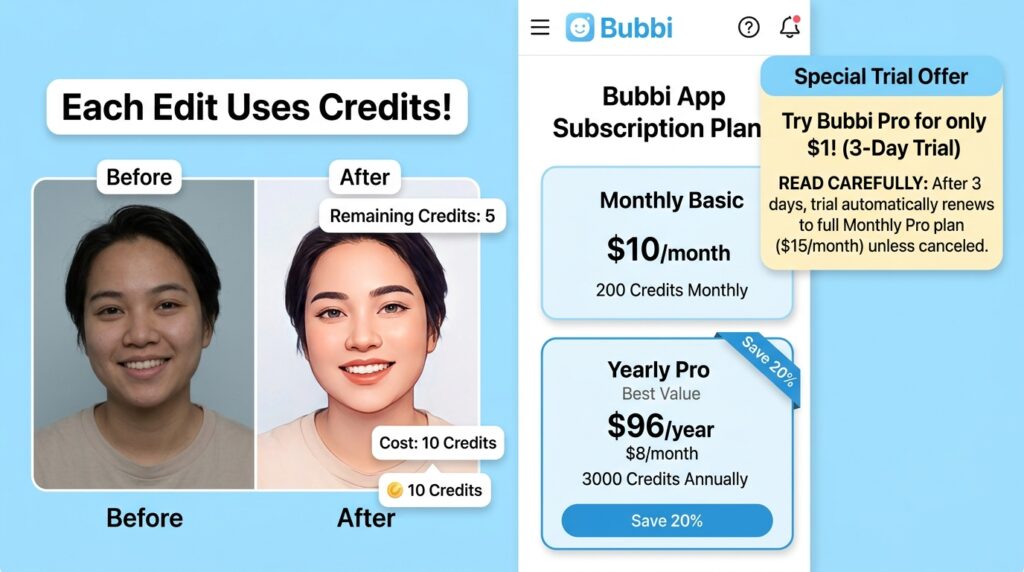
The bubbi app has a free way to try some things, but most good tools need payment. They use a credit system where each picture change uses some credits. You buy plans that give you a certain number of credits every month.
There are monthly plans and yearly plans that save money. They sometimes offer low price trials, like one dollar for a few days, to let you test it. This low entry price sounds nice, but you must read everything carefully before you agree. Many plans turn into full payments after the trial time ends.
Bubbi App Charges on Credit Card Explained
Some people see bubbi app charges on their credit card that surprise them. A common pattern starts with a small one dollar payment for one quick job. After that, a bigger monthly charge appears, like thirty or fifty dollars.
The difference between a one-time payment and a full subscription is important. Sometimes the small trial signs you up without clear notice. This is why unexpected charges happen. To spot bubbi app charges, look for names like Bubbi, Algora, or similar words on your bank statement.
If you see something you do not remember, write it down and check your email for messages from the company. Many users say the charges feel hidden, so always watch your bank account closely after trying new tools.
Is Bubbi App Safe? Security and Privacy Review
Safety matters when you share pictures and payment information. The bubbi app uses normal web protection for payments. They say they keep your data private and only use it for making pictures.
Your account has basic protection like passwords. Still, some people worry about how the AI keeps and learns from pictures you upload. There are no huge reports of stolen information, but it is always smart to use strong passwords and not share very personal photos.
Potential risks include the billing surprises we talked about earlier. Watch for red flags like hard-to-find cancel buttons or slow answers from the team. Taking time to read the rules before you start helps you stay safe.
Bubbi App Reviews: Honest User Feedback
Real people have mixed feelings about the bubbi app. Some like the AI tools because they make nice pictures fast and help beginners create without learning hard programs. They say it saves time for school projects and small business pictures.
On the other side, many reviews on places like Trustpilot and Reddit talk about problems with billing and canceling. Users complain that it is hard to stop the payments and that support does not always help quickly. Overall ratings stay low because of these money issues even when the picture tools work okay.
One user story tells about making a fun picture for family and liking the result, but then facing surprise charges later. Another person used it for marketing images and found the quality good in 2026, but still had trouble stopping the service. These honest stories help you see both the bright and tricky parts.
Bubbi App Scam Concerns and Legitimacy Check
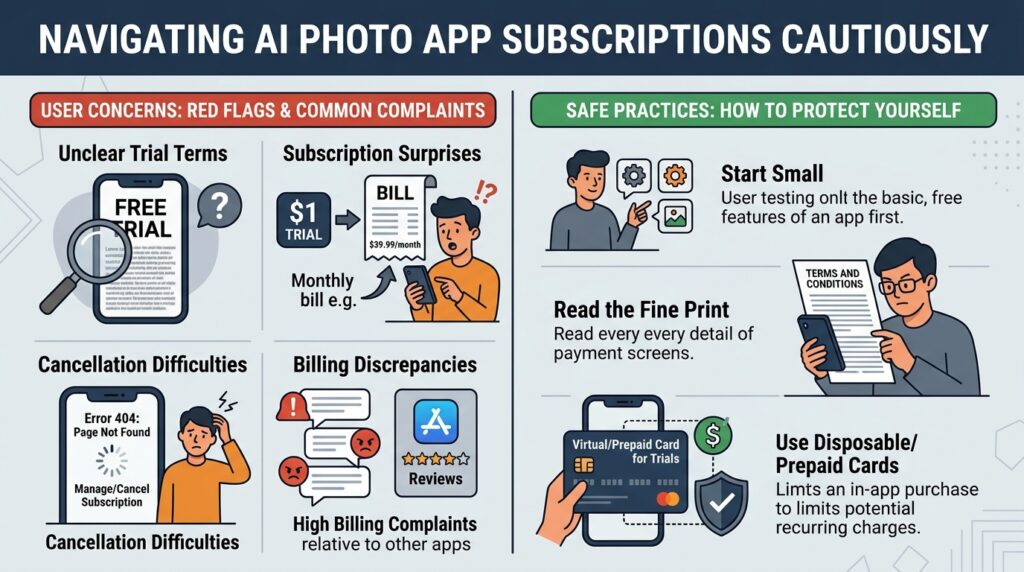
Many people ask if the bubbi app is a scam. The tools do real work and create pictures, so it is not completely fake. However, the way some subscriptions start after cheap trials makes people feel tricked.
The company answers some complaints but often points to their rules about trials. When you compare it to other AI picture tools, bubbi app has more billing trouble reports than others. Warning signs include unclear trial information and reports of broken cancel pages.
It is wise to start very small, read every word on the payment screen, and use a special card for trials. This way you protect yourself while checking if the tool fits your needs.
How to Cancel Bubbi App Subscription
If you want to stop your bubbi app subscription, go to your account after you log in. Look for the subscriptions or billing area. There should be a button to cancel.
Follow the bubbi app cancel subscription online steps carefully. Choose a reason and confirm. Sometimes the page does not work well, so try on a different browser or at a different time of day.
If nothing works, send a message to their support team. Be clear about your name, email on the account, and that you want to cancel right away. Keep records of all messages you send. Many users say contacting support is needed when the online way fails.
[Add your own example or image here]
Bubbi App Refund Policy and Request Process
The official rules for refunds are limited. They usually do not give money back after a trial turns into a full plan. Still, you can ask by writing to support with your account details and the reason.
Step by step, log into your account, find the billing page, and send a request. Some people get refunds if they ask quickly and explain they did not understand the trial. Others say success is low.
It usually takes several days or weeks to hear back. Always keep your emails and bank statements. Being polite but firm helps when you ask for a bubbi app refund.
Alternatives to Bubbi App
There are many other AI picture tools to try. Some free ones let you make basic changes without payment worries. Paid choices from bigger companies often have clearer rules and easier canceling.
Think about what you need most. If you want simple photo fixes, free editors might work well. For stronger AI help, look at tools known for good support and honest pricing. Choose based on your own comfort and needs.
Tips to Avoid Unexpected Charges and Subscription Issues
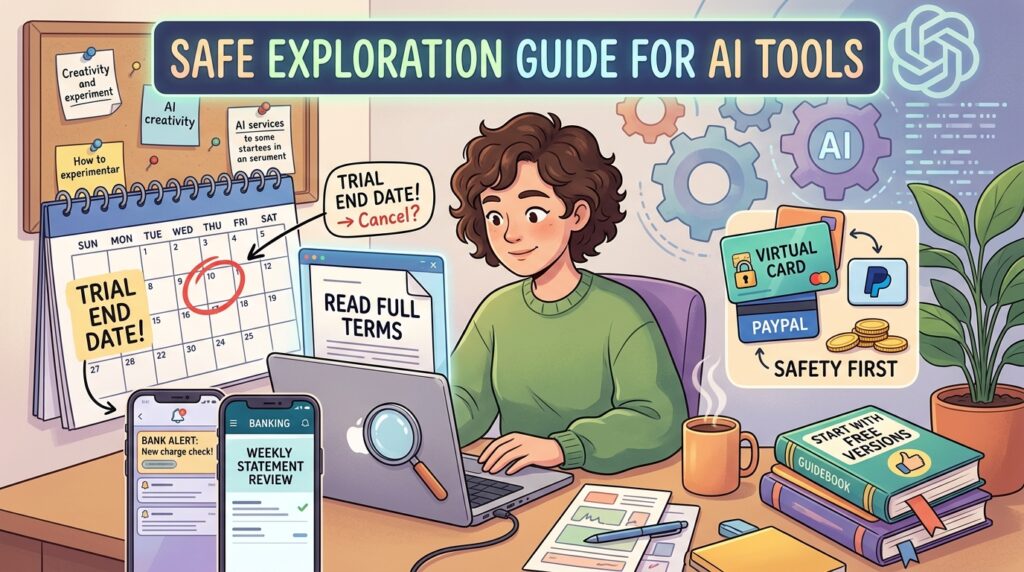
Before you try any AI service, read the full terms. Write down the trial end date on your calendar. Check your bank statement every week.
Using a virtual card or PayPal for tests gives extra safety because you can stop it fast. Turn on notifications from your bank for any charges. These small habits protect your money when you explore new tools.
Another good idea is to use only free versions first to learn if you like the service. This careful way helps you enjoy creative work without stress.
Frequently Asked Questions
What is the bubbi app?
It is an AI tool for making and changing pictures easily using smart computer help.
How do I cancel my bubbi app subscription?
Log into your account, find billing, and follow the cancel steps. Contact support if the button does not work.
Why did Bubbi App charge my card?
Most times it happens because a trial period ended and turned into a paid plan.
Is Bubbi App a scam?
The picture tools work, but many people feel unhappy about the billing and canceling process.
How to get a Bubbi App refund?
Write a clear message to support with your account information and ask politely.
What should beginners know about using AI design tools in 2026?
Start slow, use simple word instructions like “make the sky brighter and add flowers,” and always check charges. Recent improvements help pictures look more natural.
Can the bubbi app help with school projects?
Yes, many students use it for posters and reports because it creates images fast.
Where is the company located?
The team works from St Julians.
Conclusion
Learning about the bubbi app helps you make good choices for your creative needs. We covered the good parts like easy picture tools and the careful parts like watching your payments closely. In 2026, AI design keeps getting better, but smart habits keep you safe.
Take your time, try small steps, and pick tools that feel right for you. Whether you stay with this one or try something new, enjoy making beautiful things. Your ideas matter, and the right tool can bring them to life in fun ways.
Always remember to check your statements and cancel anything you no longer need. This keeps your mind free to create happily.
Disclaimer:
This article shares general information based on public reports and user experiences. It is not legal or financial advice. Always check official websites and talk to your bank for personal help with charges or refunds. Stay safe and enjoy creating!
Explore More:
Airmid App Login, Download & Reviews – Complete Guide for Android & PC
Best Apps for Shops to Boost Sales and Manage Business
About the Author