
Have you ever wished you could check your health records, book a doctor visit, or ask for medicine without leaving your home? In 2026, many people in the UK now use the airmid app to do exactly that. This helpful tool comes from a company called TPP. It works closely with the NHS to give patients more control over their care. Families, older adults, and busy workers love how it makes life easier. It cuts down on extra trips to the clinic and helps you stay on top of your health.
This friendly guide will walk you through everything in a simple way. You will learn what the app does, how to get it, and how to use it safely on your phone or computer. Let’s get started together like good friends chatting about something useful.
Introduction to the Airmid App
The airmid app is a special health tool that connects you directly to your NHS care. It lets you see important medical information in one safe place. Many people use it because it feels like having a helpful helper right in your pocket. TPP built the app to work well with the NHS system called SystmOne, which many GP practices already use.
This matters a lot in 2026 because health care keeps changing. More people want quick and safe ways to handle their own records. With the airmid app, you can look at your notes, talk to your doctor team, and manage daily health needs. It reduces the need for so many in-person visits, which saves time and travel for everyone. Parents can check children’s records, and older folks can manage medicines without worry. That sense of control brings real peace of mind.
What Is the Airmid App and Who Is It For?
So, what is the airmid app exactly? It is a free mobile tool that puts your health information at your fingertips. You can view your full medical records, book appointments, request repeat prescriptions, send messages to clinicians, and even join video calls. It also lets you track your own health numbers and add information from watches or fitness apps.
The app works great on Android phones and iPhones. For computer users, there are good ways to use it on PC too, which we will cover soon. It connects smoothly with NHS services and your GP practice if they use SystmOne.
This app is for anyone in the UK who gets care through the NHS. You need to be registered with a GP practice that supports it. Most adults and young people over a certain age can use it. Families often set it up together so everyone stays healthy and informed. If your practice has joined the system, you can start right away and feel more involved in your own care.
How to Download the Airmid App for Android
Getting the airmid app download for android is quick and safe when you follow the right steps. First, open the Google Play Store on your phone. Type “Airmid UK” in the search bar. Look for the one made by TPP. It should show a clear health icon and many downloads.
Tap the green Install button. The app needs only a small amount of space, so most phones have plenty of room. Make sure your Android system is up to date for the best experience. After it finishes, open the app and follow the simple screens that appear.
Always download from the official store to keep your phone safe. Do not use strange websites. Once it is on your device, you are ready to set up your account and connect to your GP. Many people finish this whole process in just a few minutes.
Airmid App Download for PC (Windows and Mac)
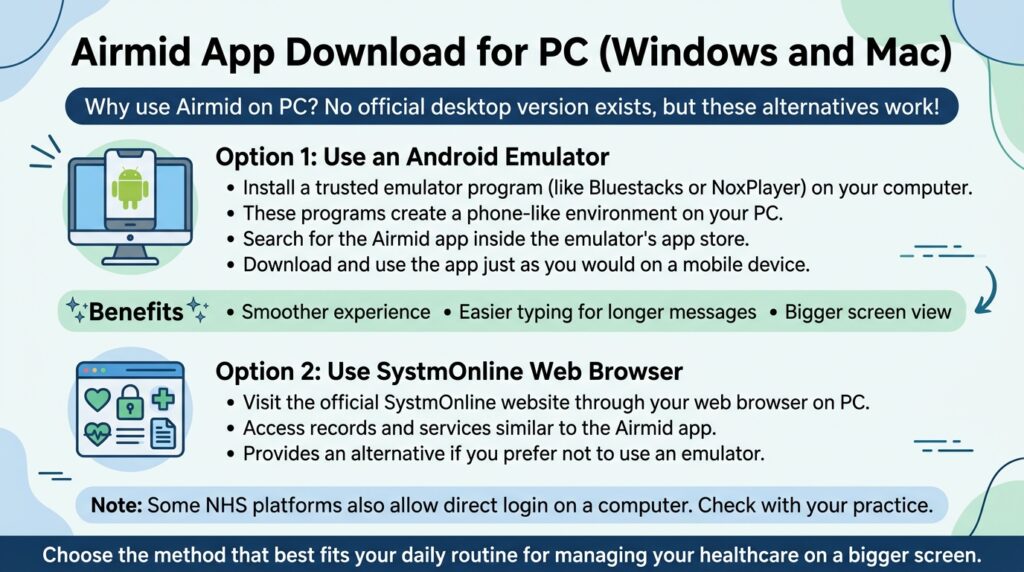
Many friends ask about the airmid app for pc because they like using a bigger screen. There is no official desktop version yet, but you have easy options that work well. One popular way is to use a free Android emulator program on your Windows or Mac computer. These programs create a phone-like space on your screen so you can run the app.
Another good choice is to visit SystmOnline through your web browser. This gives similar access to records and services. Some NHS platforms also let you log in directly on a computer. For the airmid app download for pc, simply install a trusted emulator, then search for the app inside it the same way you would on a phone.
These methods feel smooth and let you type longer messages more easily. Choose whichever feels most comfortable for your daily routine. Over time, you will find the one that fits your home setup best.
Complete Airmid App Login Guide
The airmid app login process is designed to be safe and simple. When you open the app for the first time, you will see options to use NHS Login or your existing SystmOnline details. If you already have an NHS Login, just enter it. If not, the app can help you create one right there.
After the first login, you can turn on Face ID or Touch ID so you can open the app with just a quick look or touch. This makes daily use much faster. For password problems, there is a clear “Forgot password” link that guides you through recovery steps.
If you want to use the app on more than one device, your same login works across them. Always keep your details private and never share them. Many people say the login feels secure and quick once they get used to it. If something goes wrong, the app often shows helpful messages to guide you.
Setting Up Your Airmid Profile After Login
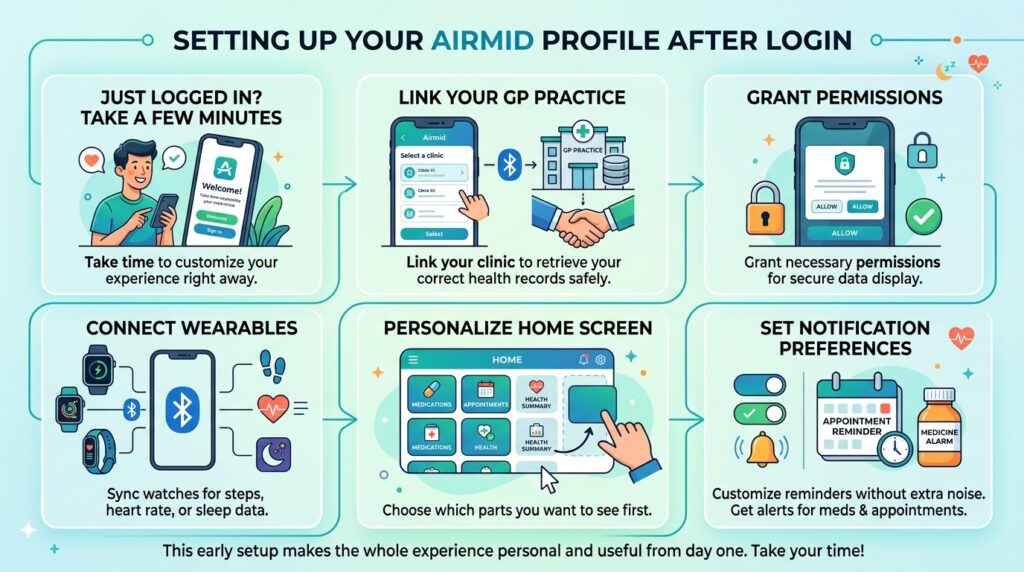
Right after you log in, take a few minutes to set up your profile. Link your GP practice so the app can pull your correct records. Grant the permissions it asks for, because they let the app show your information safely. You can also connect wearables like fitness watches to bring in steps, heart rate, or sleep data.
Personalize the home screen by choosing which parts you want to see first. Set notification preferences so you get reminders for medicines or appointments without extra noise. This early setup makes the whole experience feel personal and useful from day one. Take your time here so everything feels just right for you.
Key Features and How to Use Them
The airmid app shines through its helpful features. You can view your medical records any time, which means you understand your health better. Booking or cancelling appointments takes just a few taps, and you get reminders so you never miss one.
Requesting repeat prescriptions is simple too. Send a message to your care team instead of calling, or join a video consultation from home. The app also sends medication reminders and lets you track your own health numbers. Some people even help with NHS research by sharing anonymous data if they choose.
Practical tips make these features even better. For example, check your records before appointments so you can ask good questions. Use the search inside the app to find old notes quickly. These small habits turn the app into a true daily friend for your health.
Airmid App Review: Pros, Cons, and User Experiences
In an honest airmid app review, most people praise how easy it feels to reach records and book visits. Users often say it saves time and reduces stress. The clean design works well for many ages, and the connection to NHS services feels reliable.
Some common criticisms include occasional glitches or slower loading when the internet is weak. Not every GP practice offers full features yet, so availability can differ. A few people mention they want more practice-specific tools. Overall ratings sit in a middle range, with many users hoping for steady improvements in 2026.
The verdict? For those whose practices support it fully, the app brings real value. It keeps getting better with updates, and patient feedback helps shape the next changes.
Is the Airmid App Free and Secure?
Yes, the airmid app is completely free to download and use. There are no hidden costs for basic features. Security stays at a high NHS level, with strong protection for your personal data. You give consent clearly during setup, and you control what information you share.
It follows the same careful rules as other trusted NHS tools. Many people feel safer using it than making phone calls with private details. Compared to the main NHS App, Airmid works especially well for practices on the SystmOne system.
Fixing Common Issues: Airmid App Not Working
When the airmid app not working, stay calm because most problems have easy fixes. For login troubles, check your internet, update the app, or try restarting your phone. Clear the app cache if it keeps freezing.
Connection problems often clear up by waiting a short time or switching to stronger Wi-Fi. If notifications stop, look in your phone settings to allow them again. For data sync issues, make sure your GP practice is properly linked.
Reach out to your surgery or the app support if nothing helps. Keeping the app updated usually solves many small bugs over time. Patience and simple checks fix most things quickly.
Advanced Tips and Best Practices for Using Airmid
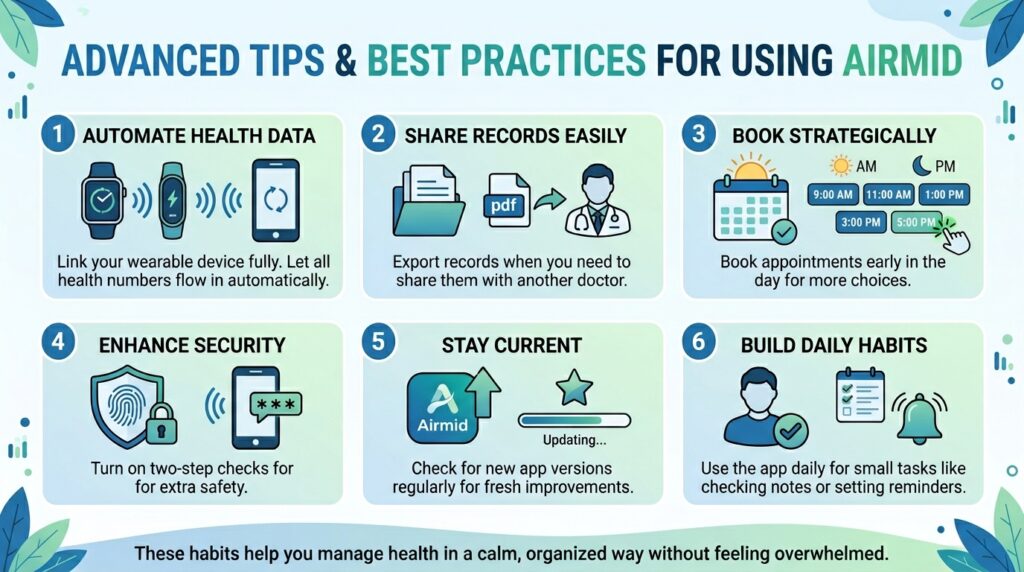
Once you feel comfortable, try these smart ideas. Link your wearable device fully so all health numbers flow in automatically. Export records when you need to share them with another doctor. Book appointments early in the day for more choices.
Turn on two-step checks for extra safety. Check for new app versions regularly so you get fresh improvements. Use the app daily for small tasks like checking notes or setting reminders. These habits help you manage health in a calm, organized way without feeling overwhelmed.
Alternatives to the Airmid App
The main NHS App serves as a close friend to Airmid. Some people use both depending on what their practice supports. Other patient portals or practice websites offer similar services too.
Choose based on your needs. Airmid shines for SystmOne users, while the NHS App works more widely. Try them and see which feels most natural for your routine. A simple comparison shows each has strengths that help different people.
Frequently Asked Questions (FAQ)
Can children use the Airmid app?
Parents or guardians can manage accounts for younger children, but older teens may set up their own with permission.
Does it work outside the UK?
It is made for NHS users in the UK, so full features need a UK GP connection.
How much data does the app use?
It uses very little unless you watch video calls or download many records.
Can I give family members access?
Proxy access is possible in some cases. Ask your GP practice for details.
What if my practice does not support it yet?
Contact them and ask when they plan to join. Many are adding it over time.
Is there phone support?
Your GP surgery is the best first contact. The app also has help sections inside.
How often should I check for updates?
Turn on automatic updates so you always have the newest safe version.
Can I delete my data?
You control much of your information and can request changes through the app or your practice.
Conclusion and Next Steps
The airmid app gives you friendly control over your health in 2026. It brings records, appointments, and care team messages together in one safe place. Take the first step by downloading it today and linking your practice. You will likely notice how much easier daily health tasks become.
Stay curious and keep learning as the app grows. Talk to your doctor about any questions. Small steps with this tool can lead to big improvements in how you feel and manage your care. You have everything you need to start feeling more confident about your health right now.
Disclaimer: This article shares general information based on public details to help you understand the app. It is not official medical or legal advice. Always check with your GP practice or the NHS for your personal situation. App features can change, so confirm the latest information directly in the stores or on official sites.
Explore More:
Best Apps for Shops to Boost Sales and Manage Business
Travwell App: Complete Guide to Features, Benefits & Download
About the Author